Personal portfolio tracker
Know exactly what your money is doing.
Finance turns your trades into a clear picture of what you own, what you've gained, where your risk is and how your goals are tracking. Every account, in plain words.
No broker connection · Never trades · Export everything, any time
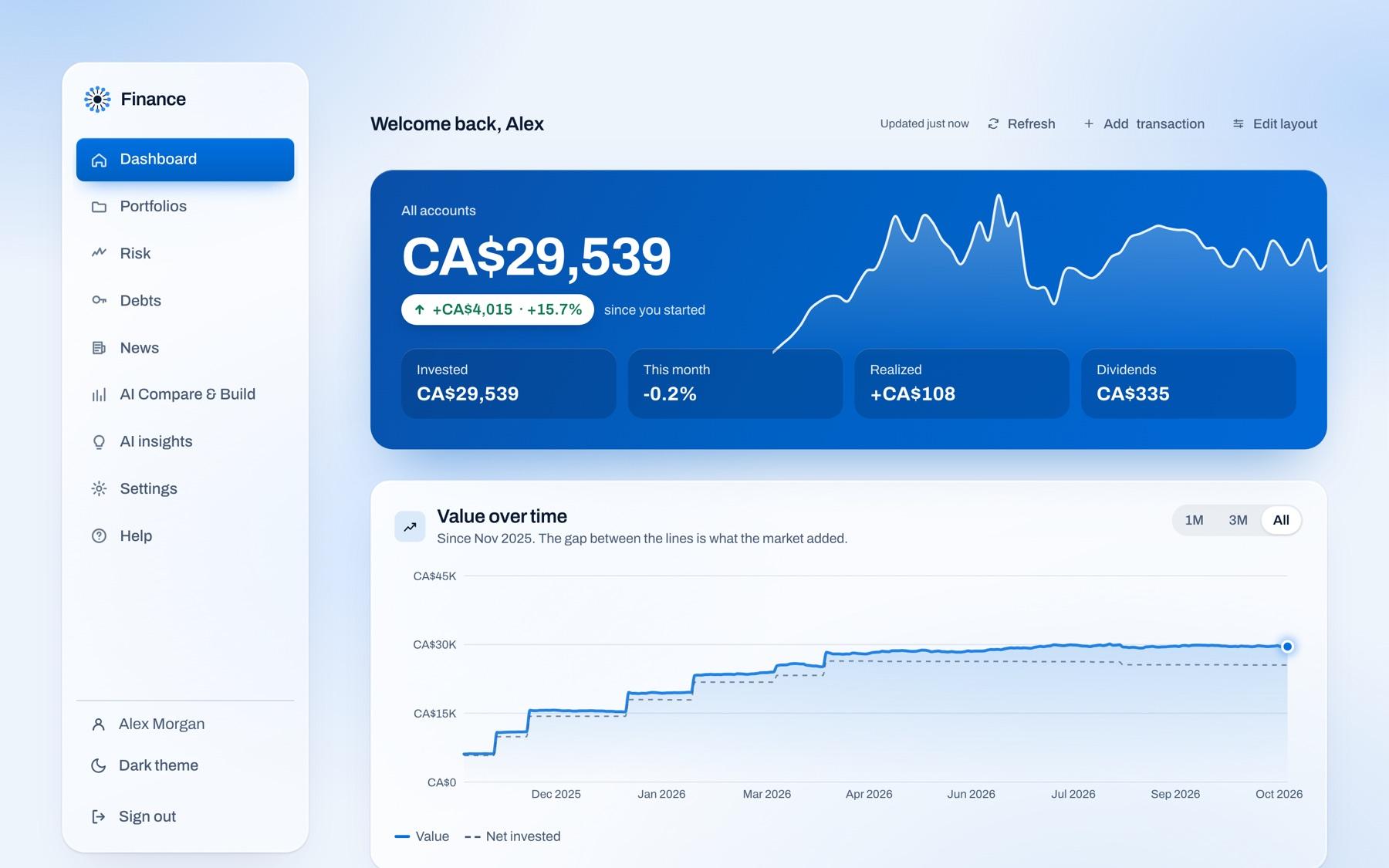
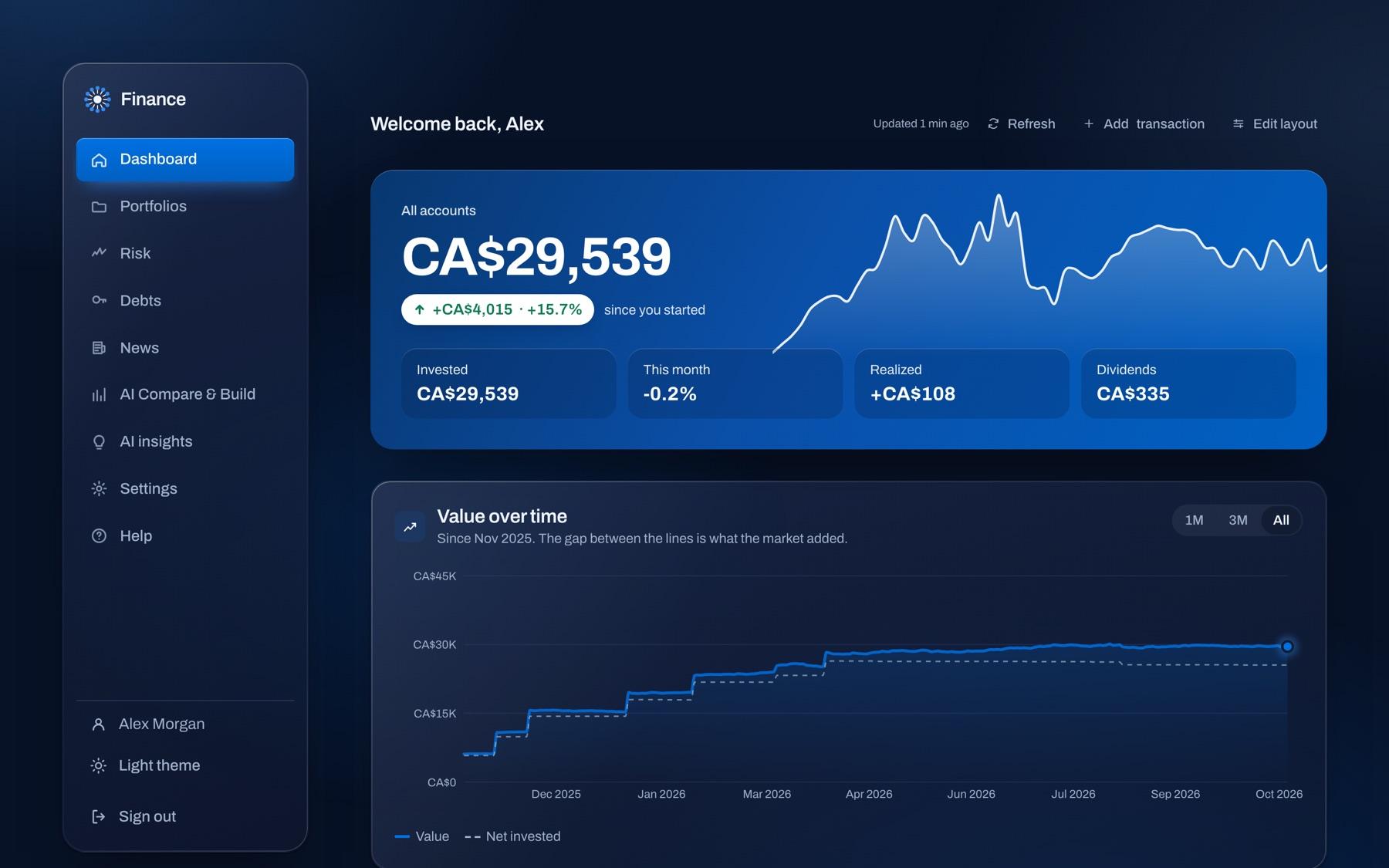
Shown with a sample portfolio of made-up companies.
From trades to answers in three steps
- 1
Add what you own
Type a trade, import your broker's file, or upload a screenshot of your account. Check the preview; undo an import in one click.
- 2
It does the math
Holdings, average cost, gains, dividends and currencies, worked out from your own trades and daily prices. Every figure says how.
- 3
Understand and plan
See your risk, how far you are from the mix you want, and how a goal is tracking. Ask the AI anything in plain English.
A look inside
Everything about your money, in one place
The answer first
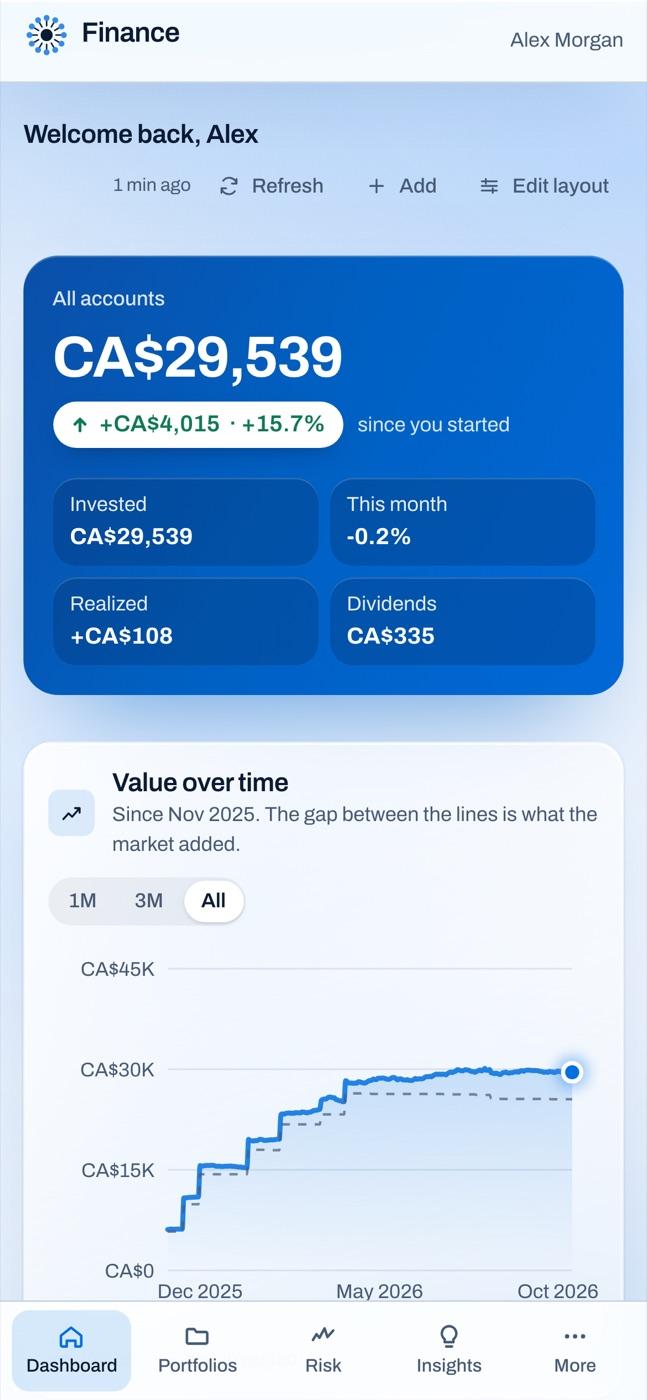
Your total, what you've gained since you started, and how it got there, in one view across every account.
- Value over time against what you put in
- Monthly ups and downs
- Holdings, largest first, with gains
See it move
Quick to read, quick to update
Made for real accounts
The details other trackers skip
Canadian accounts, built in
TFSA, RRSP, FHSA, RESP, LIRA and pensions. Tax notes only where gains are actually taxable.
Six currencies, one answer
CAD, USD, EUR, GBP, AUD and INR. Each trade converts at its own day's rate; a missing rate is flagged, never guessed.
Average cost, done right
Adjusted cost base for a CAD or GBP portfolio, lot-by-lot FIFO otherwise, so the gains match how they're reported.
Group plans without a ticker
Work RRSP or pension fund with no symbol? Add it from a statement, and it counts everywhere your other holdings do.
Stock splits handled
Splits are found nightly and offered to you to apply, without editing your trades, so any mistake is one click to undo.
Targets and rebalancing
Set the mix you want. It shows the drift and drafts the trades, or how to rebalance with new money only, for you to place.
Meet Dewy, your AI assistant
Ask your portfolio anything
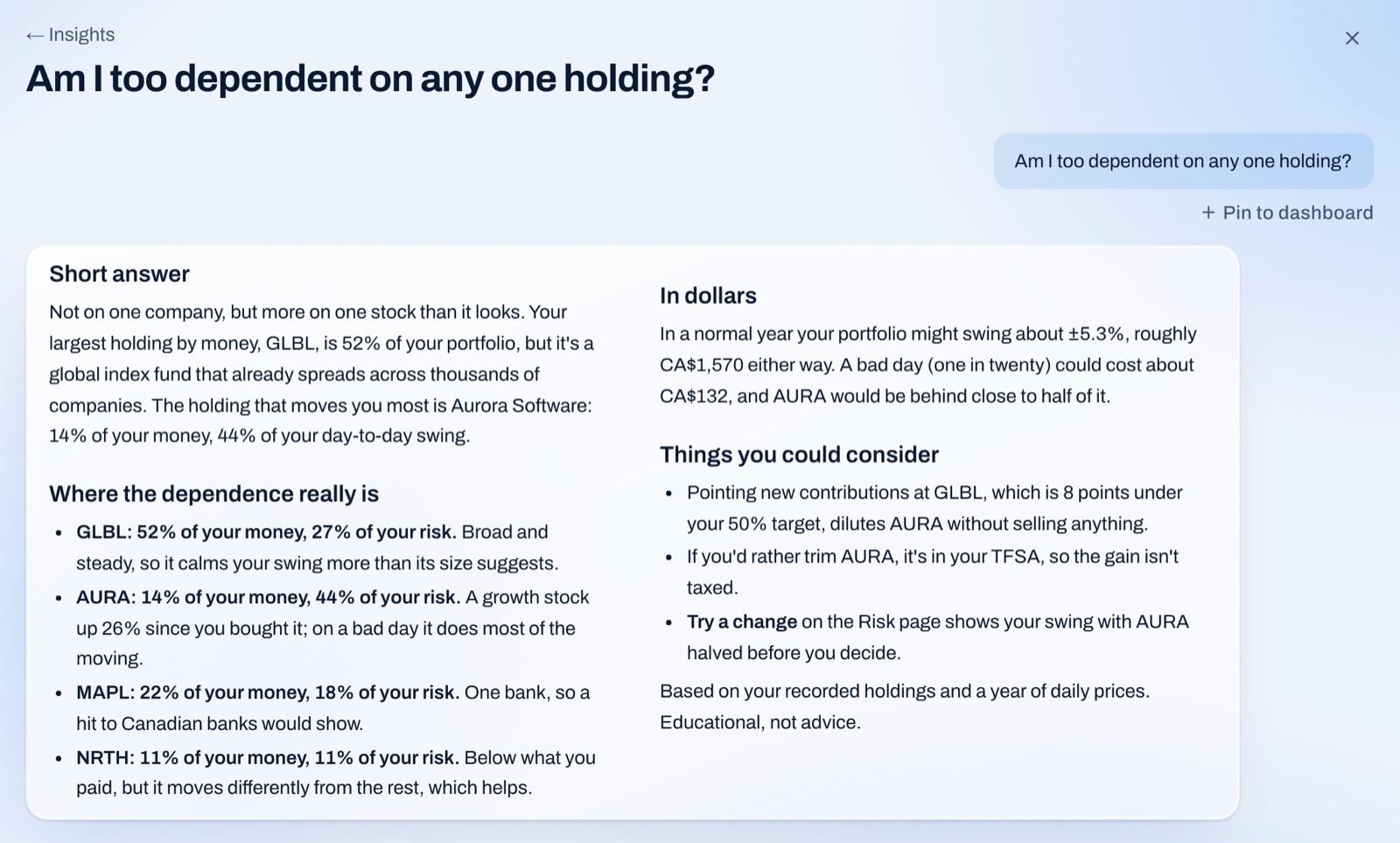
Questions you'd normally work out with a spreadsheet, answered in plain English from what you actually own. Dewy is a tap away on every page.
Questions people ask
- Am I too dependent on any one holding?
- What would a 20% drop in tech cost me?
- Which holding has paid me the most in dividends?
- Should extra money go to my mortgage or my TFSA?
- Why did my portfolio fall last week?
- Is my house deposit on track for 2029?
Your own figures
Holdings, trades, dividends, cash, risk, targets, goals and your mortgage, so the answer is about your money, not money in general.
The news, if you want it
Turn on news and web search and it reads what's being written about your holdings, with every source linked.
Keep the good questions
Pin a question to your dashboard and its answer updates every night. Type it, or just say it.
Answers are educational, never advice, and conversations are deleted after 90 days without a new message.
AI that shows its work
Explanations you can check, not predictions to trust.
Starts from your numbers
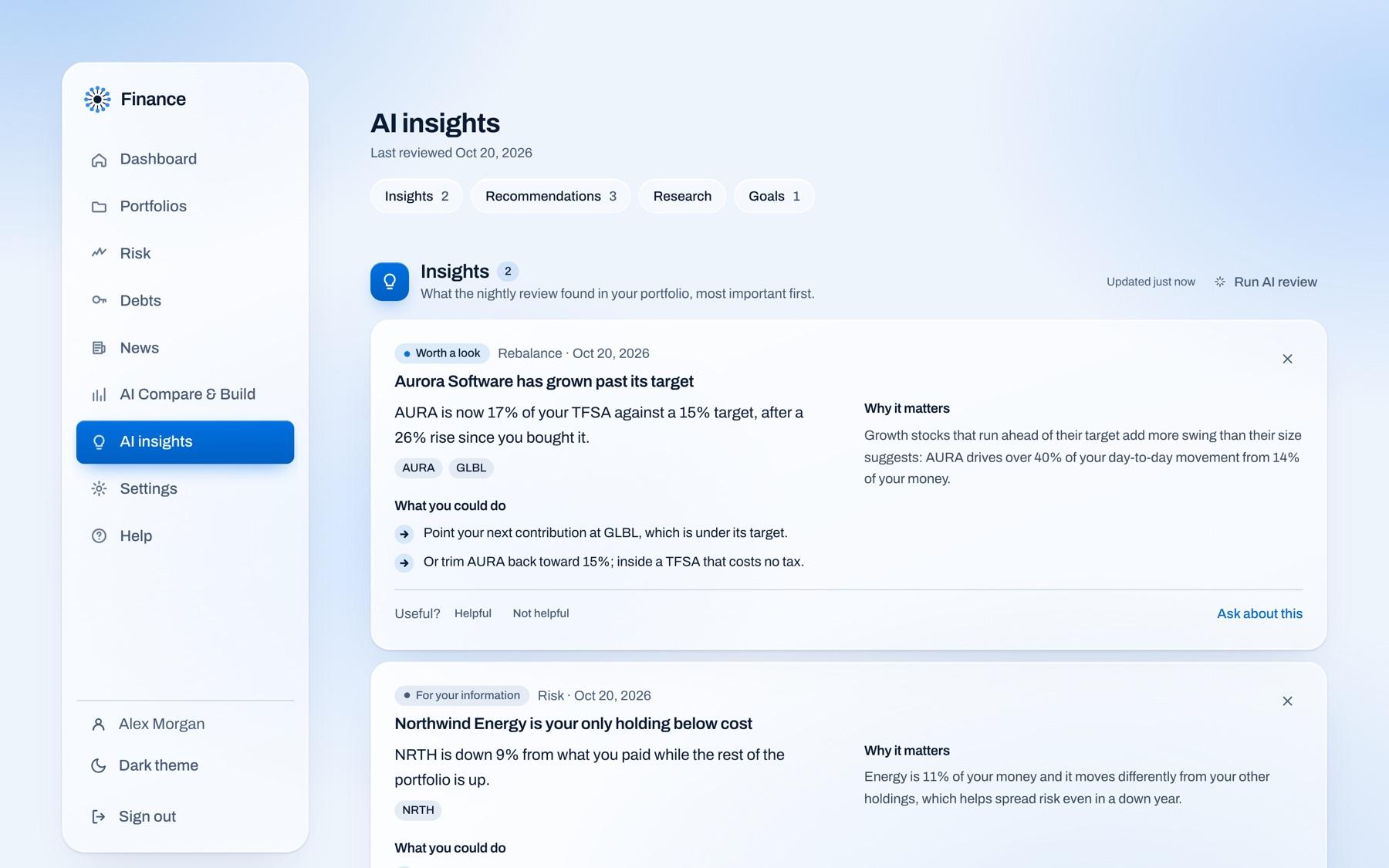
Insights begin as checks in code on your actual holdings. The AI ranks and explains them; it doesn't invent them.
Cited, or not said
When it looks something up, it links every page it used. Your portfolio's figures never come from the web.
Never trades, never advises
Educational analysis only. Anything it suggests, you review and do yourself, if at all.
On your phone
The same answers, in your pocket
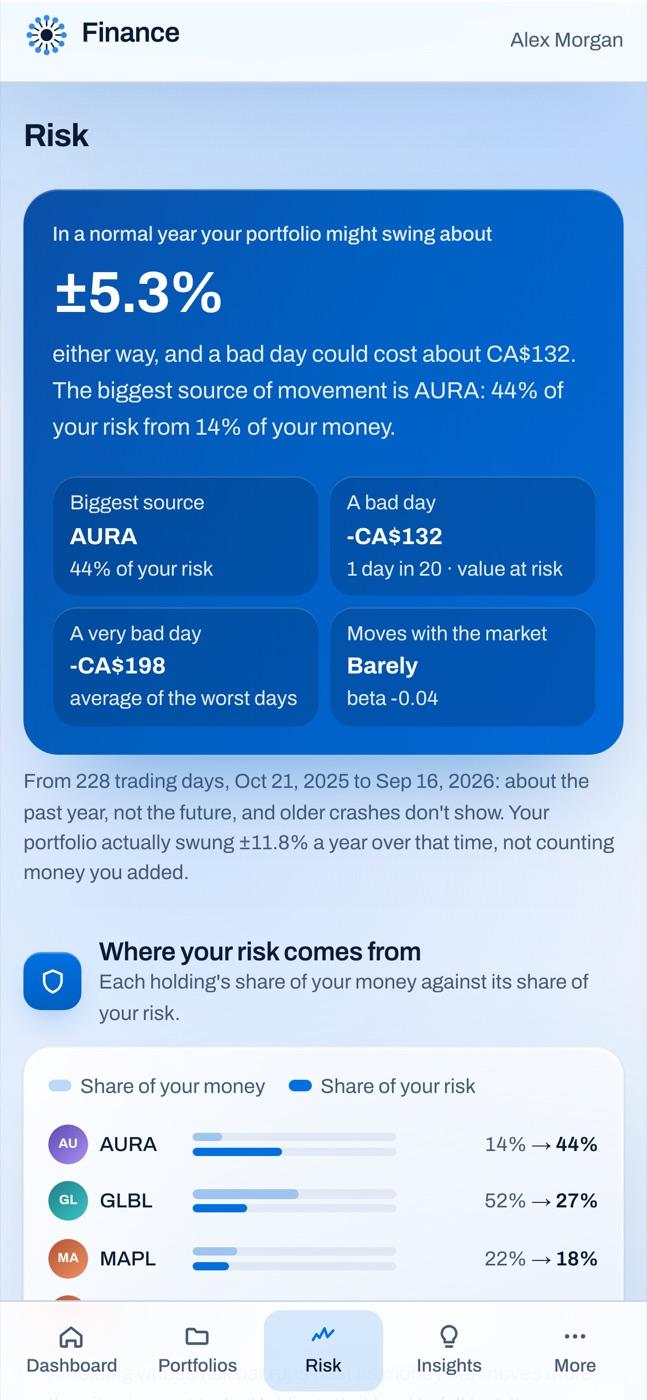
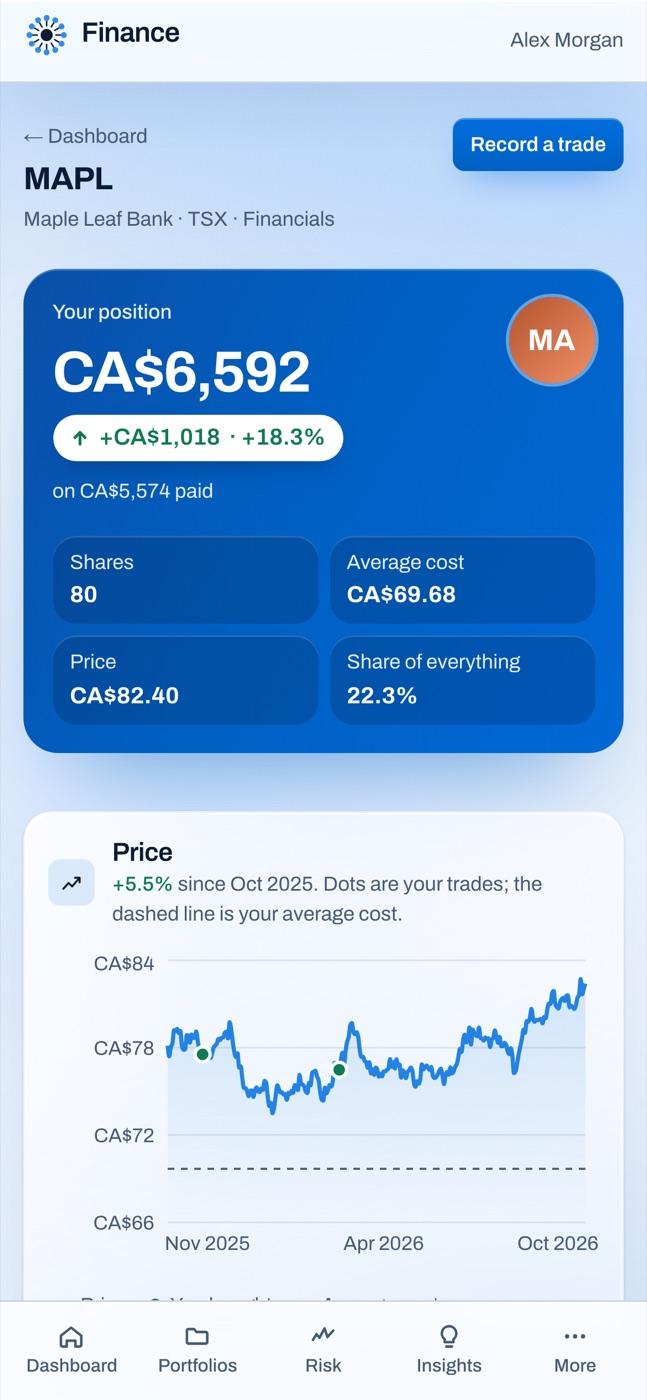
Every page is built for a phone too: rows instead of wide tables, a tab bar for the places you visit most, and text sized to read without zooming. Light or dark, as you prefer.
Your data
Private by design
Only what you enter
No broker connection. It can't trade, move money, or see other accounts, and only you can see yours.
Two-step sign-in
Add an authenticator app, with recovery codes and trusted devices, so a password alone isn't enough.
Yours to take
Export a full backup or a spreadsheet of your trades whenever you like. AI and web lookups stay off until you use them.
Questions
Does it connect to my broker or bank?
No. It only knows what you enter or import, can't move money or place trades, and can't see your other accounts.
Is this financial advice?
No. It's a tracker with educational analysis of your own holdings. It explains what it sees and shows its working; the decisions stay yours.
Where do prices come from?
Market-data providers, refreshed at the end of each trading day. Each page says when its prices are from.
What does the AI see?
Nothing until you use an AI feature. Then it gets the figures it needs from your portfolio. News and web lookups stay off until you turn them on.
Can I get my data out?
Any time: a full backup, or a spreadsheet of your trades you can re-import here or open anywhere.
How do I get an account?
Accounts are created by an administrator for now. If you have one, log in; otherwise ask the person who runs this site.
Ready when you are
Log in to see your own portfolio this way. Accounts are created by an administrator for now.
Log in